
✨ What's new in Sense Path ✨
Sense Path has had a big update. Your data is exactly where you left it — same profiles, same assessments, same plans — but the app has been rebuilt from the ground up with a cleaner interface and a set of features that many of you have been asking for.
Here's what's changed and why.
Why we rebuilt
Over the past year, you've shared a lot of ideas and requests with us — and we were genuinely excited to build them.
At the same time, the app had simply outgrown its original shape. More users, more data, more use cases than we'd planned for. Rather than bolt things on, we decided to rebuild — properly — so that every new feature sits on a foundation we can keep building on.
We're a small team, and this has been a big effort. We're proud of what's landed, but we're also realistic — there will be rough edges. If something feels off or doesn't work the way you'd expect, please tell us. We read every email and the best improvements so far have come directly from conversations with users like you.
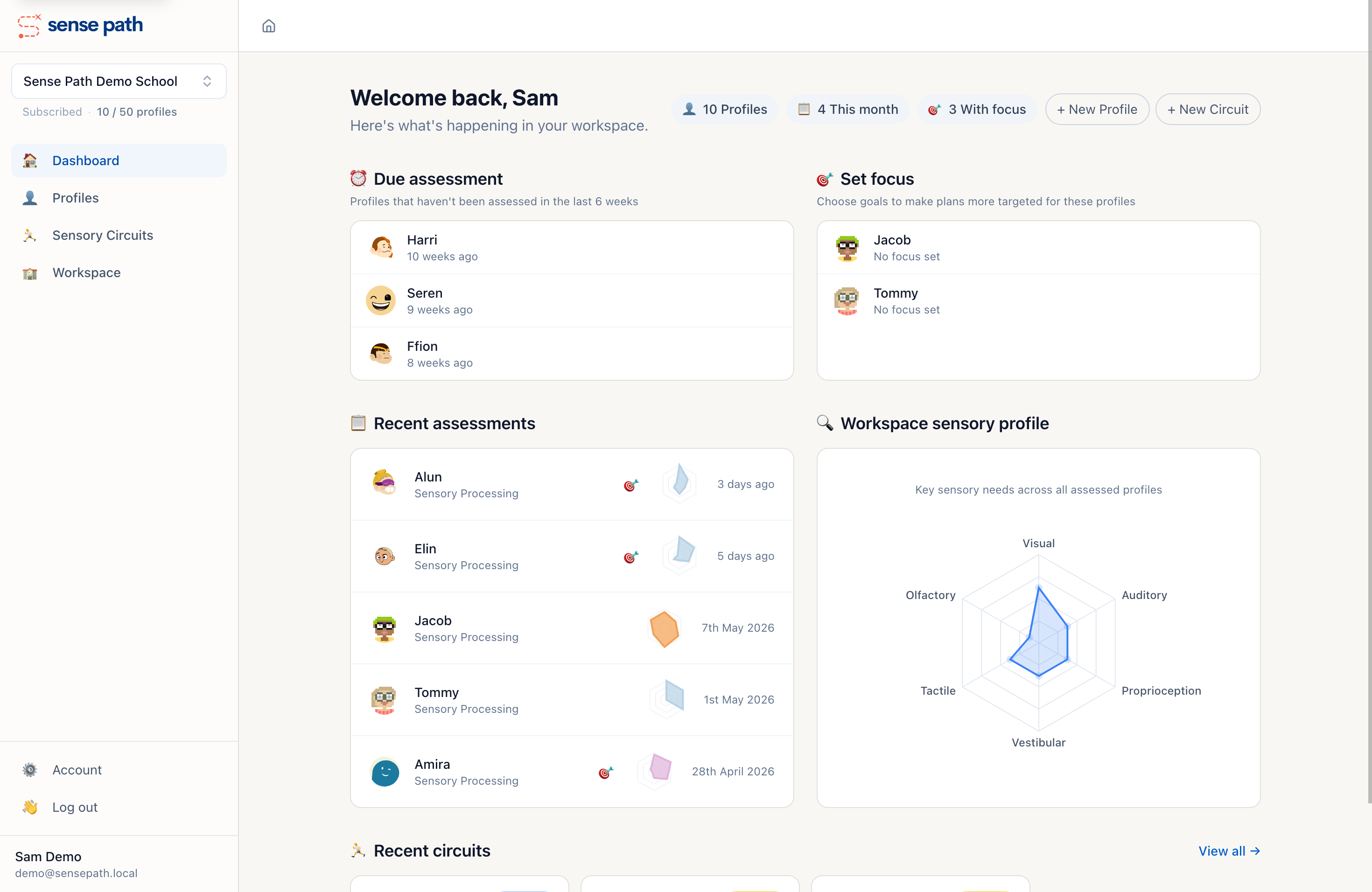
Saved Sensory Circuits
You could already generate sensory circuits in Sense Path, but they were use-once — generate, print, done. That's changed.
Circuits can now be saved to your workspace, given a name, and linked to the profiles of the children who use them. You can duplicate a circuit and tweak it for a different child, or come back to it next week without having to remember the settings.
This means circuits become a living resource rather than a printout you lose in a drawer. If a circuit works well for a child, it stays attached to their profile for anyone on the team to find.
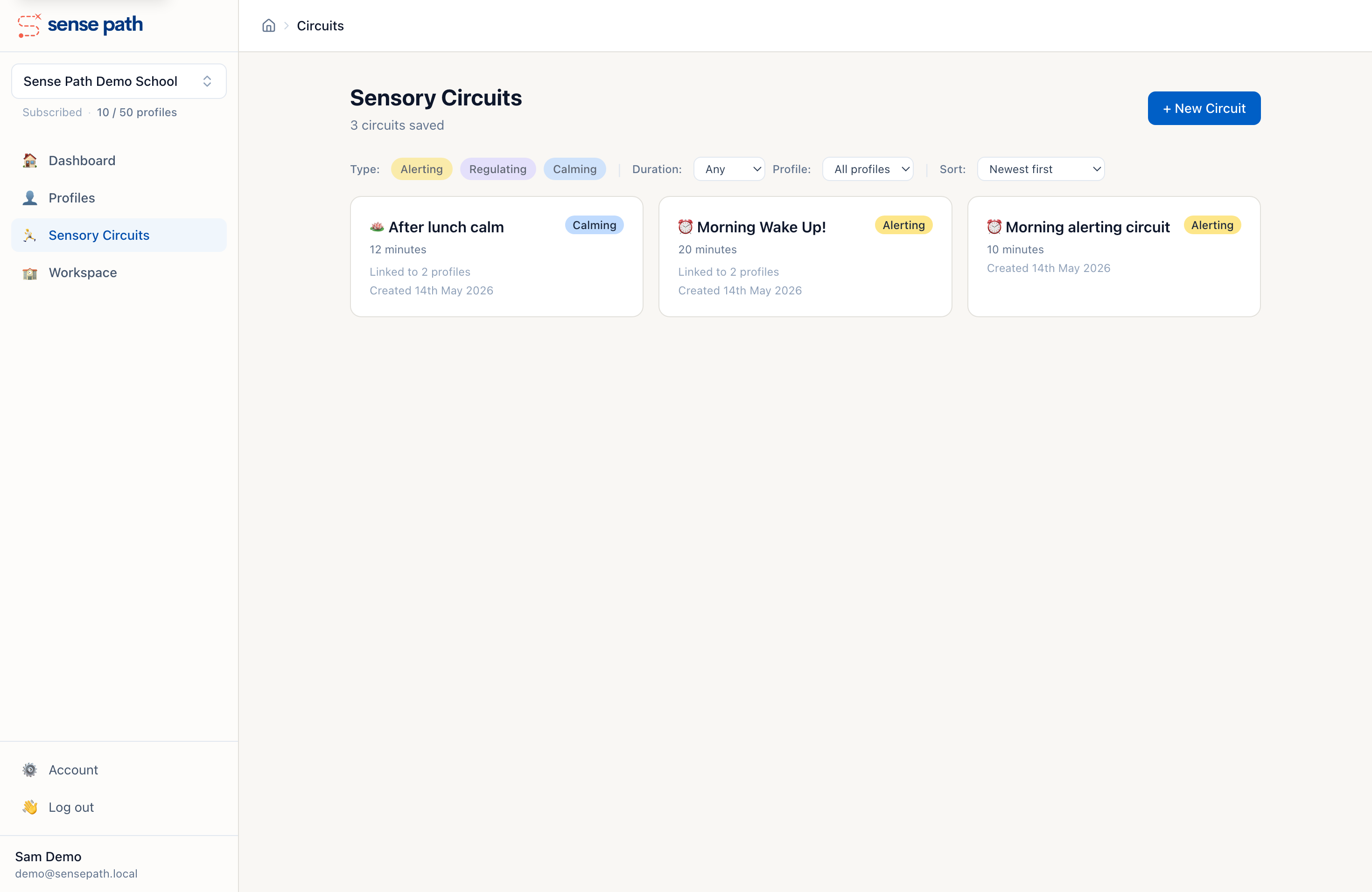
Focus areas
Assessments now surface focus areas — the sensory needs that matter most for each child. You choose one or two goals to concentrate on, and the plan generator shifts its activity selection to match.
Focus areas appear on the profile page so that everyone working with a child can see what to prioritise at a glance. Plans have always been tailored to each child's sensory profile — setting focus goals makes them even more targeted by weighting activities toward the specific outcomes you're working on.
Focus is entirely optional — plans work fine without it. But when you do set it, you can change it at any time and regenerate plans to match.
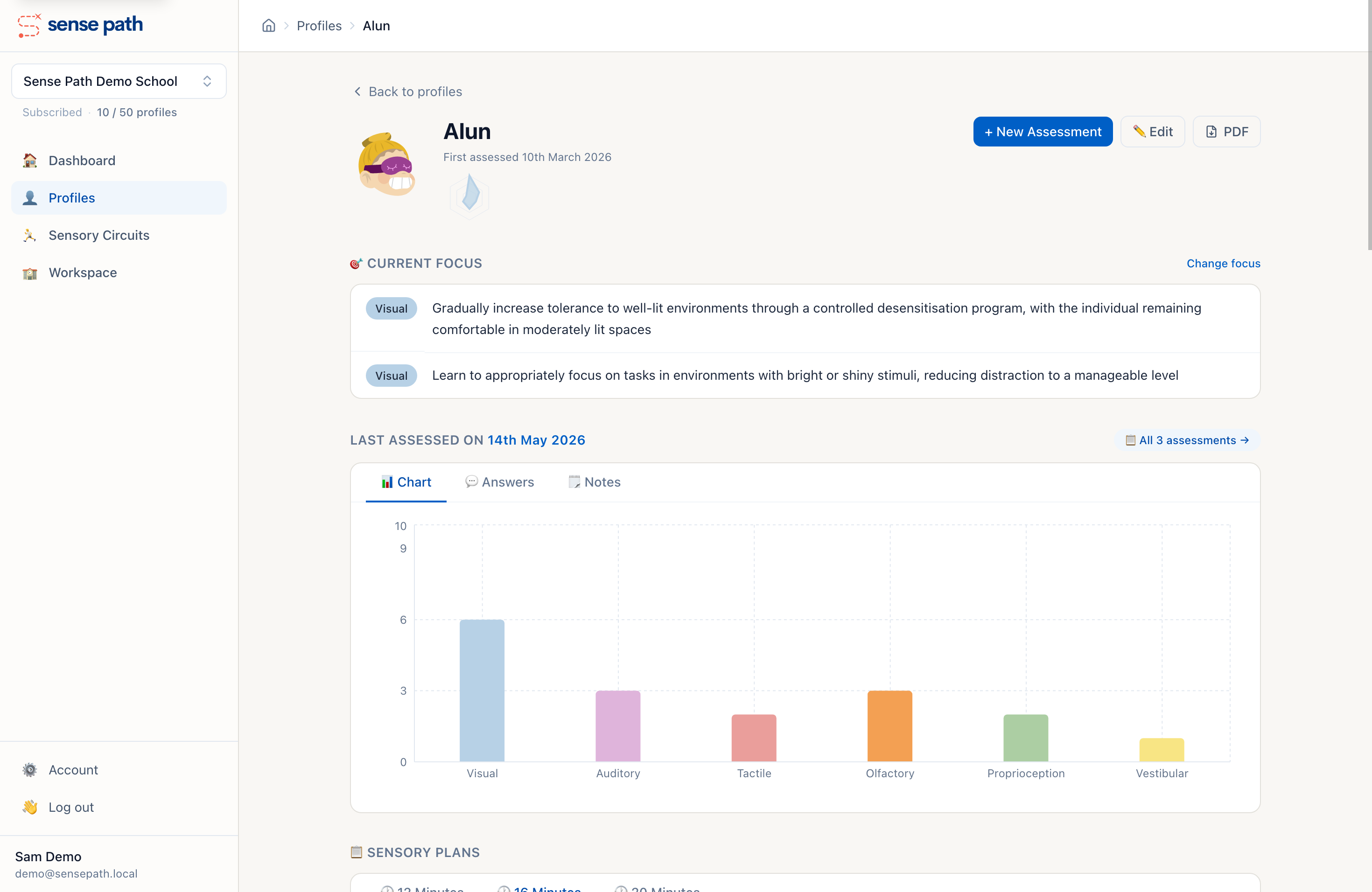
Sensory Profile export
This is the one we're most excited about. One click generates a complete Sensory Profile PDF — assessment findings, focus areas, plan, environmental adjustments — everything in a single, clean document.
It's designed for the real situations where schools need this: handing a summary to parents at a review meeting, briefing a supply teacher, filing for an EHCP application, or sharing with an external professional who doesn't have a Sense Path account. No more copying and pasting from the screen.
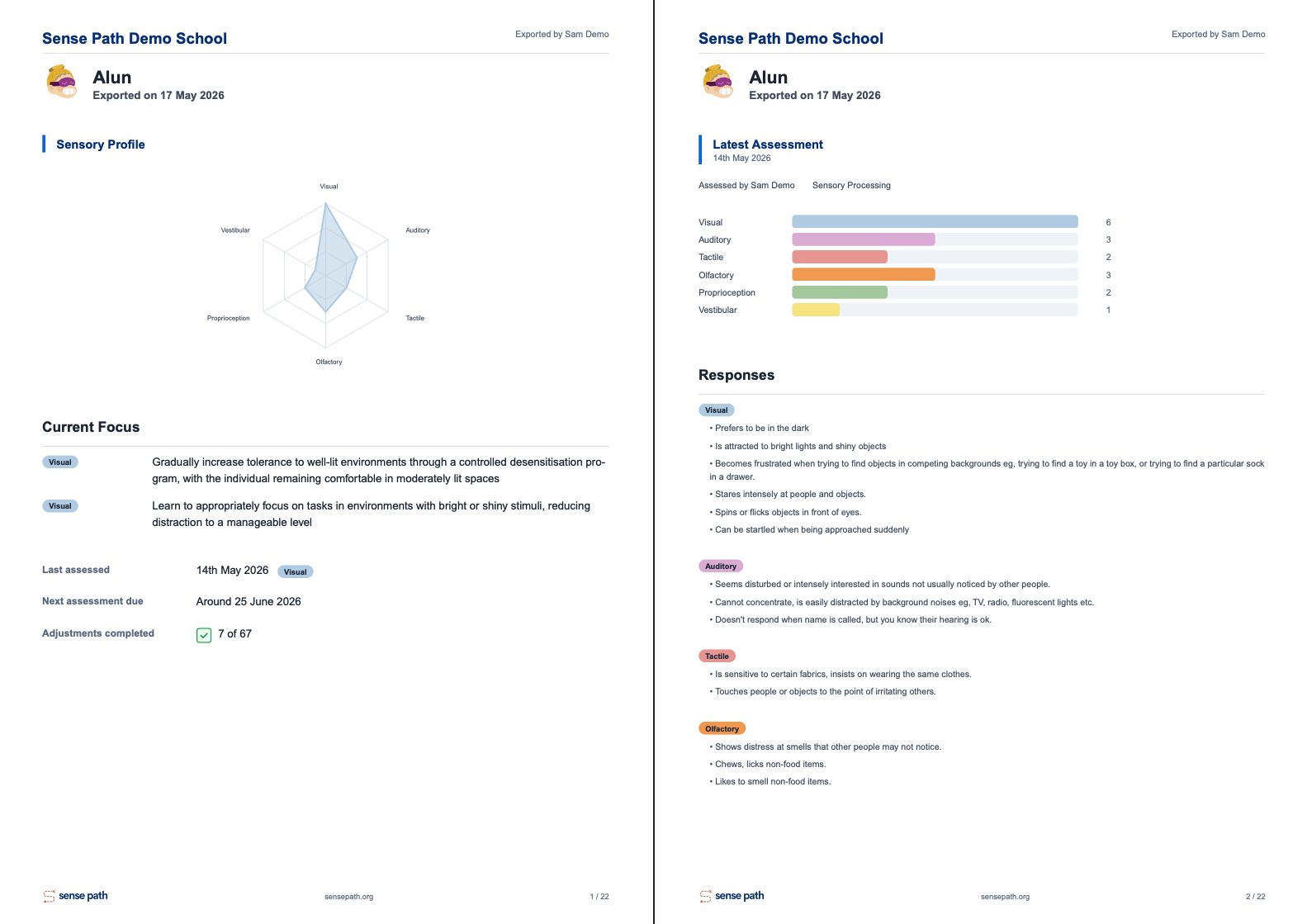
Download an example Sensory Profile PDF
New avatars
A small thing, but one that matters to us. Sense Path originally used robot avatars because they're gender-neutral and help with privacy — no photos, no real faces, just a fun identifier that children enjoy choosing.
Over time, though, we became uneasy with the outdated and ill-informed association between robots and neurodiverse people. Nick and Beth (the team behind Sense Path) are both neurodiverse and have neurodiverse families, and the robot-only choice didn't sit right.
So we've expanded the avatar library to six styles:
Robots — the originals




Characters — illustrated people




Emoji — expressive faces




Pixel — retro pixel-art




Thumbs — playful characters




Faces — smiley with personality


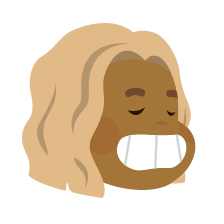
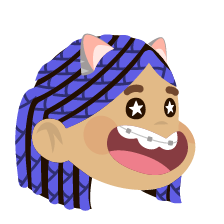
Children often love picking their own avatar — it helps them engage with their sensory work and feel ownership over their profile. The more styles there are, the more likely they'll find one that feels like "theirs."
And the rest
A few more things that landed in this update:
- Accessibility settings — font size, colour scheme (warm or high-contrast), colourblind-safe palettes, OpenDyslexic font, reduced motion, and simplified view. Each person sets their own preferences on the Account page. Designed for staff and children alike.
- Workspace improvements — a single account can now belong to more than one workspace (useful if you work across schools or trusts), invite colleagues to join your workspace, and assign roles so the right people have the right access.
- A calmer interface — more whitespace, fewer hard borders, clearer hierarchy. Easier on the eyes during a long assessment session.
Your data hasn't changed
We rebuilt the app on top of the same database. Every profile, assessment, plan, and adjustment is exactly where it was — same content, same login. Your subscription is unchanged too. If something seems missing, get in touch — it's almost certainly a "moved, not gone" situation.
For the detail-minded: data residency remains UK/EU, and our Privacy Policy, Terms & Conditions, and Data Protection FAQ have all been updated to reflect the new app.
What's next
This update is a foundation, not a finish line. We're continuing to build based on what you tell us you need — and the best ideas so far have come from conversations with users like you.
If there's something you'd love Sense Path to do, or something about the new version that doesn't quite work for you, we genuinely want to hear it. Get in touch — we read every message.
Need help?
Change can be disorienting, even when it's an improvement. If anything about the new Sense Path isn't clicking, we'd rather you told us than struggled in silence.
- New to Sense Path? Start with the Getting Started guide.
- Looking for something specific? Try the FAQ.
- Something broken or confusing? Contact us — we're a small team and we respond quickly.
Last updated: May 2026